SpicyChat AI is an adult platform for users aged 18+. App store versions comply with platform content policies — adult content settings apply post-login. Information current as of May 2026.
Spicy Chat AI App: How to Download on Android, iOS & Web (2026)
SpicyChat AI has native apps on both Android and iOS — a relatively recent development, since the platform launched in 2023 as a web-only service. If you've been using the mobile browser version and noticed it feels clunky, you're right to switch: the dedicated apps provide push notifications, better performance, and a UI optimized for smaller screens.
The short version: Android app is version 1.0.79 (available on Google Play), iOS is version 1.0.72 (updated February 2026, available on the App Store), and the web version at spicychat.ai remains fully functional for desktop and mobile browsers. This guide walks through each option step by step.
Is There a SpicyChat AI App?
You're probably asking this because you searched and got mixed results — some sources saying the app doesn't exist, others linking to various downloads. The short answer: yes, there are official native apps, and they're the only safe download options.
SpicyChat AI launched as a web-only platform in 2023. Native mobile apps came later as the platform's user base (now over 100 million registered users) demonstrated strong mobile traffic. The apps are published by NextDay AI Incorporated, the Montreal-based operator of SpicyChat AI, through official app store channels.
Both official apps are free to download. In-app purchases unlock premium subscription tiers. The web version at spicychat.ai is also fully functional and is the best option for desktop users who don't want to install software.
How to Download SpicyChat AI on Android
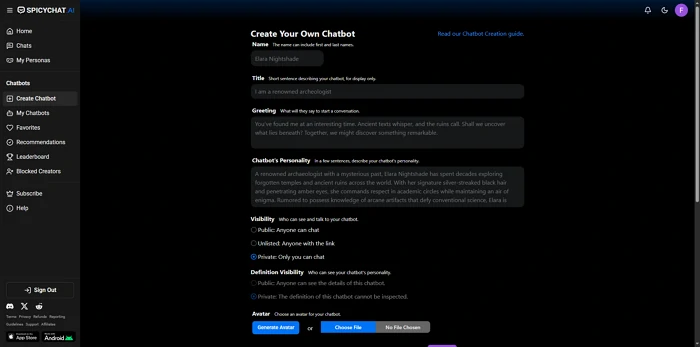
You're probably wondering about the exact steps and what to watch for. Here's the complete process.
Step 1: Open the Google Play Store on your Android device.
Step 2: Tap the search bar and type "SpicyChat AI" — look for the app published by NextDay AI. The official package identifier is ai.nextday.mobile.android.spicychat — this is the verification string that confirms you're getting the legitimate app.
Step 3: Check that your device meets the requirements: Android 7.0 or higher is the minimum. Most Android devices manufactured after 2018 meet this requirement.
Step 4: Tap "Install" and wait for the download to complete. The app is free to install.
Step 5: Open the app and sign in with your existing SpicyChat AI account, or create a new account directly in the app.
Current version: 1.0.79. If the Play Store shows a lower version number, you may be looking at a different app — search again and verify the publisher name.
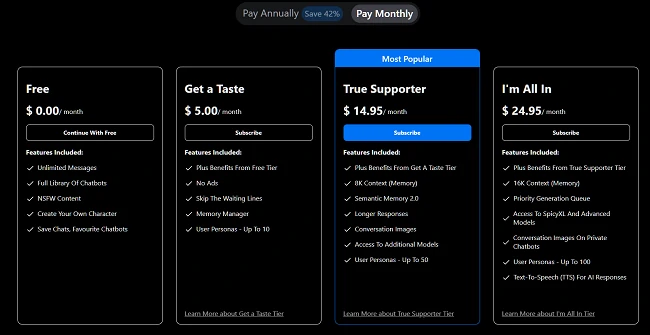
In-app pricing on Android: The app lists in-app purchases at $9.99/week or $29.99/year. These are the same subscription tiers as the web version but may appear at different price points due to Google Play's regional pricing. The web version at spicychat.ai offers monthly subscription options ($5, $14.95, $24.95) that may provide better flexibility than the app's weekly/annual-only options.
How to Download SpicyChat AI on iOS
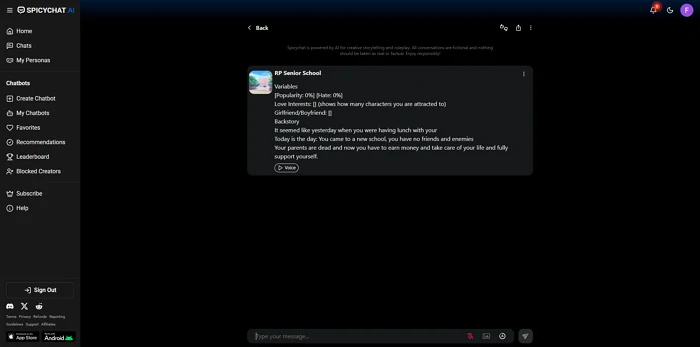
You're probably wondering whether the iOS process is any different. The short answer: same straightforward path, slightly different version history.
Step 1: Open the App Store on your iPhone or iPad.
Step 2: Tap the search icon and type "SpicyChat AI: Roleplay Chat" — the full app name as listed in the App Store.
Step 3: Verify the publisher is NextDay AI before downloading.
Step 4: Tap "Get" to download. The app is free to download from the App Store.
Step 5: Sign in with your SpicyChat AI account credentials or create a new account.
Current version: 1.0.72, last updated February 2026. The iOS version is slightly behind the Android version in numbering, which is common when Android receives incremental updates first.
Apple App Store note on NSFW content: App Store policies restrict adult content in app listings, which is why SpicyChat AI's App Store page is limited in what it can display about the platform's capabilities. The app itself enables adult content features post-login based on your account settings and age verification status, operating within Apple's guidelines for 17+ apps.
Ready to explore? SpicyChat AI offers free access to 138K+ characters.
Start Chatting Free →Using SpicyChat AI on Web (Browser)
You're probably wondering whether the web version is worth using if the apps exist. The short answer: yes, especially on desktop.
The web version at spicychat.ai is the original and most feature-complete interface. On desktop, it offers the full sidebar navigation, character browsing filters, and character creation tools in a layout optimized for larger screens. If you do the majority of your SpicyChat use at a computer, the web version is preferable to the apps.
On mobile browsers, spicychat.ai works but delivers a less optimized experience than the native apps. The responsive design handles portrait orientation well, but push notifications, background operation, and loading speed are all better in the native app.
PWA option: You can add spicychat.ai to your home screen as a Progressive Web App on both iOS and Android. This creates a home screen icon and launches the site in a full-screen browser window without the browser's address bar. It's a middle option between the full browser experience and a native app — useful if you prefer not to install native apps.
SpicyChat AI on now.gg
You're probably wondering what now.gg offers for SpicyChat AI users. The short answer: it's a cloud streaming option that lets you run the Android app without installing it locally.
now.gg is a cloud gaming and cloud app platform that streams Android applications through a web browser. SpicyChat AI is available on now.gg, which means you can access the Android app experience from any device with a browser — including desktop computers, older phones that don't meet the Android 7.0 requirement, or devices where you'd rather not install additional apps.
Pros of now.gg: No local installation required, works on any device with a browser, useful for unsupported Android versions.
Cons of now.gg: Depends on cloud server availability and your internet connection quality, introduces an additional third party in the data chain, may have latency in responses. For users with modern supported devices, the native app performs better.
SpicyChat AI Mod APK — Warning
You're probably seeing "SpicyChat AI mod APK" in search results and wondering whether it's worth trying. The short answer: no, and this is a genuine safety risk, not a minor inconvenience.
Mod APK files are modified versions of Android apps distributed outside the Google Play Store. For SpicyChat AI, they typically claim to unlock premium features (unlimited context, SpicyXL model, image generation) without payment. Here is what they actually deliver:
Security risks of mod APKs:
- Malware and spyware: Modified APKs are a primary distribution vector for Android malware. An APK modified to inject premium access has the same capacity to inject keyloggers, ad fraud code, or data exfiltration tools.
- Account compromise: Logging into SpicyChat AI through a modified app passes your credentials through code you cannot audit. Your account can be taken over.
- Device compromise: Malicious APKs can access your contacts, photos, stored passwords, and banking apps if granted device permissions.
- Account ban: SpicyChat AI can detect and ban accounts accessed through modified clients.
The legitimate way to access premium features without full payment is SpicyChat AI's free tier — unlimited messaging is already available at no cost, and the subscription tiers have real pricing from $5/month. There is no legitimate workaround that's worth the security exposure of a mod APK.
Ready to explore? SpicyChat AI offers free access to 138K+ characters.
Start Chatting Free →App Features vs Web Experience
You're probably wondering what you're gaining or losing by using the app vs. the browser. Here's the direct comparison.
| Feature | Android/iOS App | Web (Desktop) | Mobile Browser |
|---|---|---|---|
| Push notifications | Yes | No | No |
| Background operation | Yes | No | No |
| Loading speed | Fast (native) | Fast | Moderate |
| Full feature parity | Yes | Yes | Yes |
| Offline access | No | No | No |
| Home screen shortcut | Yes | Bookmark | PWA option |
| In-app purchase pricing | $9.99/wk or $29.99/yr | $5–$24.95/mo | $5–$24.95/mo |
| Character creation tools | Full | Full | Limited layout |
The key practical difference is push notifications — the apps notify you of replies if you've left a conversation. For users who have active ongoing roleplay sessions, this is meaningful. For casual browsing, the web version on desktop provides the best layout for character discovery and creation.
Why Is SpicyChat AI Not on the App Store?
You're probably searching this because you're having trouble finding it. The short answer: it is on the App Store — but previous versions had issues, and search ranking is limited by App Store content policies.
SpicyChat AI was absent from the App Store for a period due to Apple's review process for NSFW-adjacent apps. The app is now available and listed as 17+ with appropriate content warnings. If you can't find it by searching "SpicyChat AI," search the full name "SpicyChat AI: Roleplay Chat" or navigate directly through a link from spicychat.ai.
Apple's App Store policies require that explicit adult content be gated behind post-login account settings rather than visible in app store listings — which is why the SpicyChat AI App Store listing appears minimal compared to the platform's actual capabilities.
Troubleshooting SpicyChat AI App Issues
You're probably here because something isn't working. Here are the most common issues and their fixes.
App not loading or stuck on splash screen: Force-close the app and reopen. If that doesn't work, check your internet connection, then clear the app cache (Android: Settings > Apps > SpicyChat AI > Storage > Clear Cache). On iOS, offload and reinstall the app.
Login not working: Verify your email and password are correct — SpicyChat AI accounts are case-sensitive. If you signed up through Google or Apple, use the same sign-in method. For forgotten passwords, use the "Forgot Password" link on the login screen and check your email including spam folder.
App crashing on launch: Update to the latest version (currently 1.0.79 on Android, 1.0.72 on iOS). On Android, ensure you're running Android 7.0 or higher. Insufficient device storage can also cause crashes — free up at least 500MB.
Messages not sending or appearing twice: Duplicate messages are a known bug reported in SpicyChat AI's own community Discord and Trustpilot reviews. The fix is typically: wait for the current request to complete before sending the next message, or close and reopen the conversation. If duplicates persist, clear conversation cache or start a new chat session.
Age verification not completing: Age verification failures are usually due to poor lighting in video selfies or ID documents that are partially obscured. Retry with better lighting. If the issue persists, contact AgeGO or VerifyMyAge support directly — the issue is with the third-party verifier, not SpicyChat AI itself.
For ongoing platform-wide issues, check the SpicyChat AI status and troubleshooting guide for real-time outage information. For a full review of the platform's features beyond the app, see the SpicyChat AI review.
Ready to explore? SpicyChat AI offers free access to 138K+ characters.
Start Chatting Free →FAQ
Yes — the SpicyChat AI app is free to download from Google Play and the App Store. It includes the full free tier experience with unlimited messaging, access to the 138K+ character library, and core chat features. In-app purchases unlock premium tiers: $9.99/week or $29.99/year through the app stores. The web version at spicychat.ai offers monthly subscription options ($5, $14.95, $24.95/month) with a 17% discount for annual billing, which may be more cost-effective than the app's pricing structure depending on your usage.
Feature-for-feature, yes — the apps and the web version offer the same character library, chat capabilities, character creation tools, and subscription access. The practical differences are: the apps provide push notifications and native mobile performance; the web version on desktop provides the best layout for character browsing and creation; the apps list different pricing structures in-app ($9.99/week vs. monthly options on web). Your account syncs across all versions, so you can switch between app and web freely.
Yes, fully and automatically. Your SpicyChat AI account — characters, conversation history, subscription status, personas, and lorebooks — is tied to your account credentials and syncs across all platforms. Log in on web at spicychat.ai or in either mobile app and you'll see the same account state. There's no manual sync required.
App crashes are typically caused by one of four issues: running an outdated version of the app (update to the current version in your app store), insufficient device storage (clear at least 500MB free), incompatible Android version (requires 7.0+), or corrupted app cache (clear cache in device settings). If crashes persist after all four are addressed, uninstall and reinstall the app. For crashes that appear to be platform-wide rather than device-specific, check SpicyChat AI's Discord server or the troubleshooting guide for status information.
There is no standalone desktop application for Windows or macOS. The best desktop experience is the web version at spicychat.ai, which runs in any modern browser and is optimized for desktop-sized screens. For users who prefer a more app-like desktop experience, SpicyChat AI can be run in a dedicated browser window using Chrome or Edge's "Install site as app" feature, which creates a taskbar/dock entry and removes browser chrome. This is not a native app but provides a similar workflow for users who prefer it.